Everything You Need to Track Every Dollar
Spensy combines AI-powered receipt scanning, automatic categorization, and detailed spending analytics so you always know where your money goes. No manual entry, no guesswork.
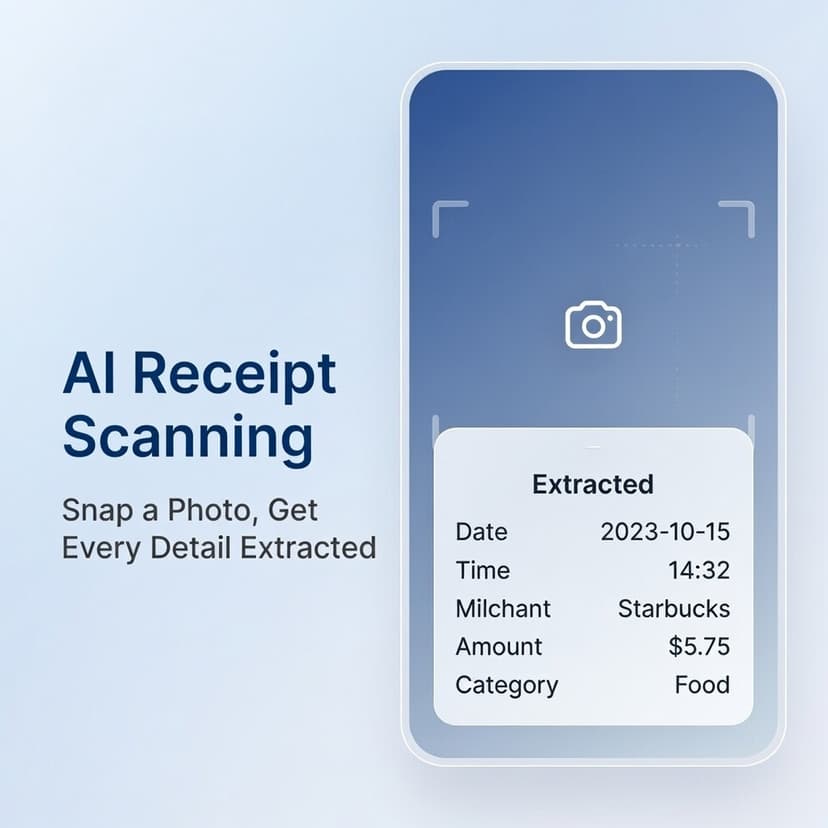
Snap a Photo, Get Every Detail Extracted
Take a picture of any receipt and Spensy's AI — powered by GPT-4o Vision — extracts the merchant name, date, total amount, and every individual item with its price and quantity. No typing required.
- Automatic merchant, date, and total extraction from receipt photos
- Individual line items parsed with quantity, price, and category
- Illegible items flagged for manual review
- Amount mismatch detection when item totals don't match the receipt total
See Where Every Dollar Goes
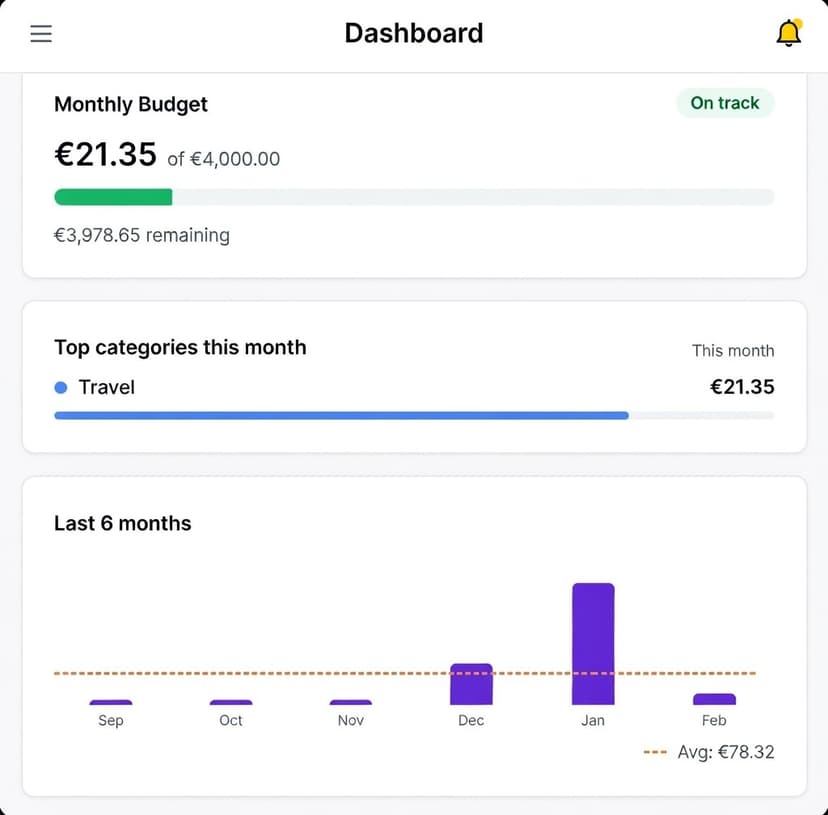
Spensy turns your receipts into actionable insights. View monthly spending breakdowns by category, track 12-month trends, compare month-over-month changes, and drill into grocery subcategories.
- Monthly spending breakdown by category with percentages
- 12-month spending trend charts to spot patterns over time
- Top categories ranked for the current month and all-time
- Grocery subcategory breakdown — Produce, Dairy, Meat, Pantry, and more
Set Budgets That Actually Work
Choose between recurring monthly budgets or one-time project budgets. Set limits at the workspace level or per category, and Spensy tracks your progress in real time with clear over-budget alerts.
- Recurring monthly budgets with automatic rollover
- One-time project budgets for specific spending goals
- Per-category budget limits — set individual caps for Groceries, Dining, and more
- Budget vs. actual spending with percentage used and over-budget warnings
And That's Not All
From smart categorization to team collaboration, Spensy has the tools you need to stay on top of your finances.
15+ Spending Categories
Groceries, Dining, Transportation, Healthcare, Entertainment, and more. Each category includes subcategories for granular tracking — like Produce, Dairy, and Meat under Groceries.
Custom Categories
Create your own categories to match your spending habits. Enable or disable categories per workspace so you only see what matters to you.
Team Workspaces
Create personal or business workspaces. Invite team members with role-based access — Owner, Admin, Contributor, or Viewer — to collaborate on shared expenses.
Bank Statement Import
Upload PDF bank statements and let Spensy's AI extract every transaction automatically. Each entry gets a predicted category, merchant name, and date.
CSV Export
Export your expense data to CSV with date range and category filters. Includes merchant, total, category, individual items, and receipt status for each entry.
Multi-Currency Support
Set your preferred currency per workspace. Spensy formats all amounts and reports in your chosen currency — USD, EUR, GBP, and more.
Data Quality Alerts
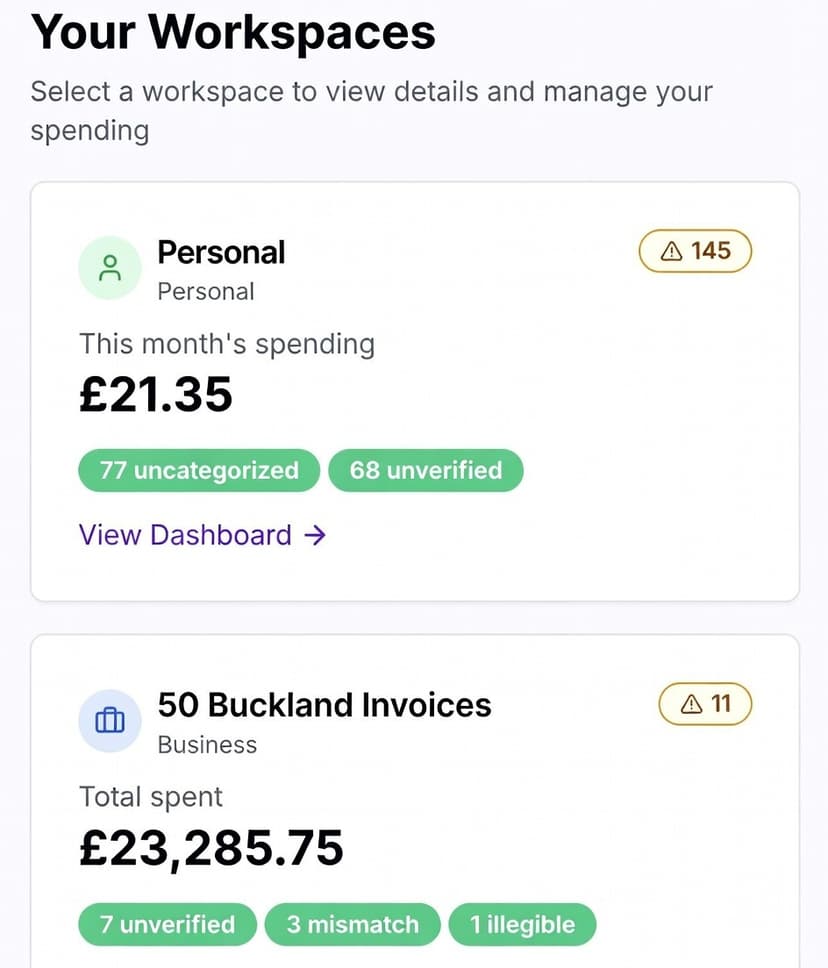
Spensy flags unverified receipts, illegible items, and amount mismatches automatically. Review and verify AI-extracted data before it hits your reports.
Secure by Design
Authentication via Clerk, role-based workspace permissions, and complete data isolation between workspaces. Your financial data stays private.
Flexible Plans
Start free with 10 receipts per month. Upgrade for unlimited receipts, advanced analytics, bank statement processing, and team features.
How Spensy Works
Three steps to effortless expense tracking.
Upload a Receipt or Statement
Snap a photo of your receipt or upload a PDF bank statement. Spensy accepts both.
AI Extracts and Categorizes
GPT-4o Vision reads your receipt, pulls out every item, and assigns spending categories automatically.
Review Your Insights
Check your spending analytics, track budgets, and export reports. Everything stays organized in your workspace.
Ready to Take Control of Your Spending?
Join thousands of users who track their expenses effortlessly with Spensy. Start your free trial today — no credit card required.
Cancel anytime. Your data stays private.